croquesolid

drum processor
€69.00 / $79.00 Buy


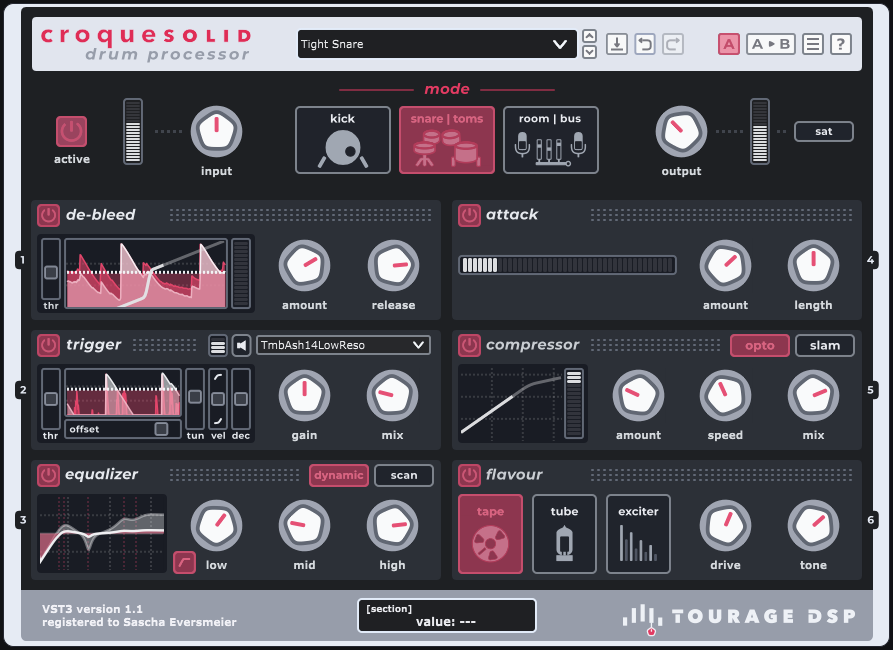
croquesolid acoustic drum processor plugin interface


Mix acoustic drums fast, solid and with taste.

Like a fine pastry, croquesolid is packed with detail and flavour for your drum tracks.

Enjoy a streamlined channel-strip workflow for shaping studio drum recordings or a live-sound performance: cleaning, refining, and enhancing with precision and character.
No need to juggle multiple plugins.

All the tools you need, crafted into one intuitive interface. Its curated feature set delivers pro studio-quality results super-fast.

Available in VST3 (Windows, macOS) and Audio Unit (macOS) formats, croquesolid integrates seamlessly with all major digital audio workstations.

€69.00 / $79.00

Price includes local tax.

Easy activation: Licenses are automatically added to your account after purchase.
Download 14-day trial version:

Current version: v1.1
All downloads, activation facts & requirements


Care and attention.
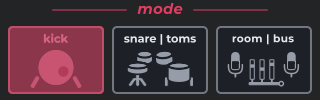
croquesolid global modes (kick | snare/toms | room/bus)

With dedicated modes for kick, snare/toms, and room/overhead/drum bus, croquesolid applies carefully tuned internal settings to each module (we call them sections).

Perfect tone and impact for every part of the kit:

  • deep, punchy kick thump
  • in-your-face snares, pounding rack and floor toms
  • inflated, explosive room ambience
  • cowbell, at your own risk.


Deliciously versatile.

Choose your stylecroquesolid skins: Graphite Red | Muted Blue
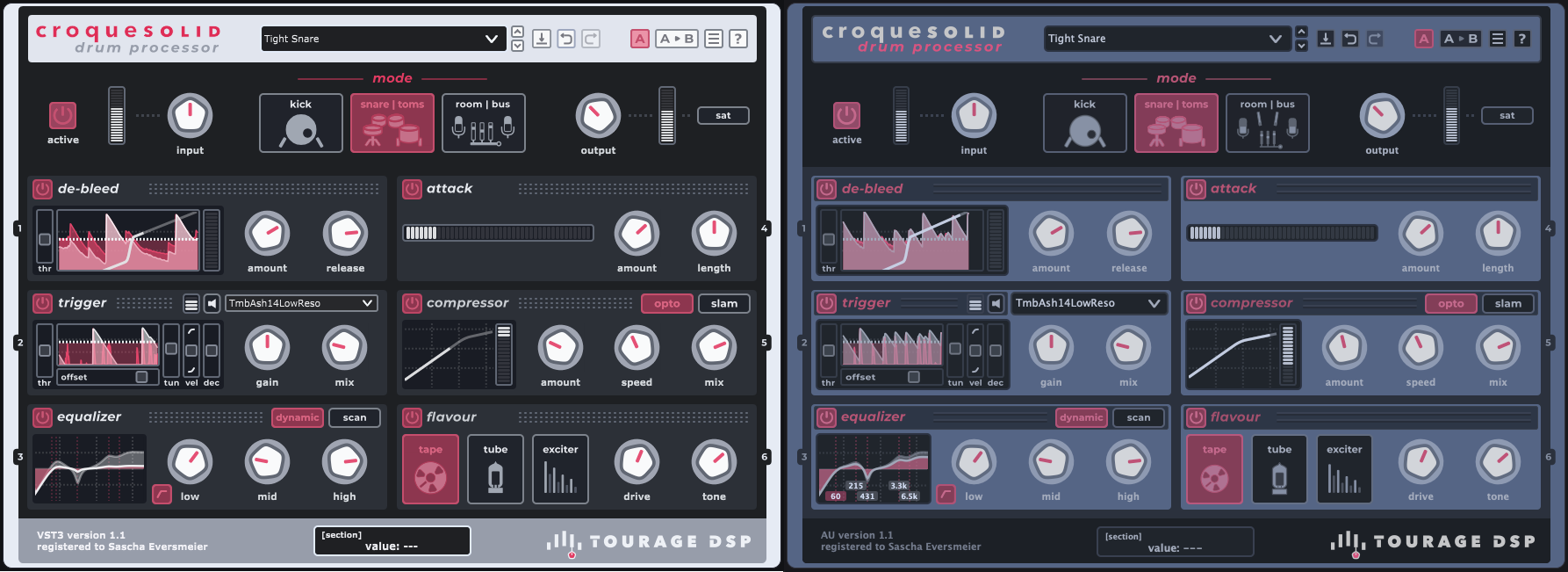
croquesolid skins: Graphite Red | Muted Blue

The visual appearance of the plugin (aka skin) is user-selectable. Graphite Red is the default general purpose style, with its bold, vibrant and modern look. For the night owls working in dim studio lighting there's Muted Blue, which offers a lower contrast and a more blue-ish background, ideal for relaxed session work.


Imagine shaping your drum tracks with the ease of a channel strip but with extra 'flavour'.
croquesolid covers every aspect of drum sound design, and they all have their specialized section.

Click on the section names to expand and find out more.

Signal path | processing order
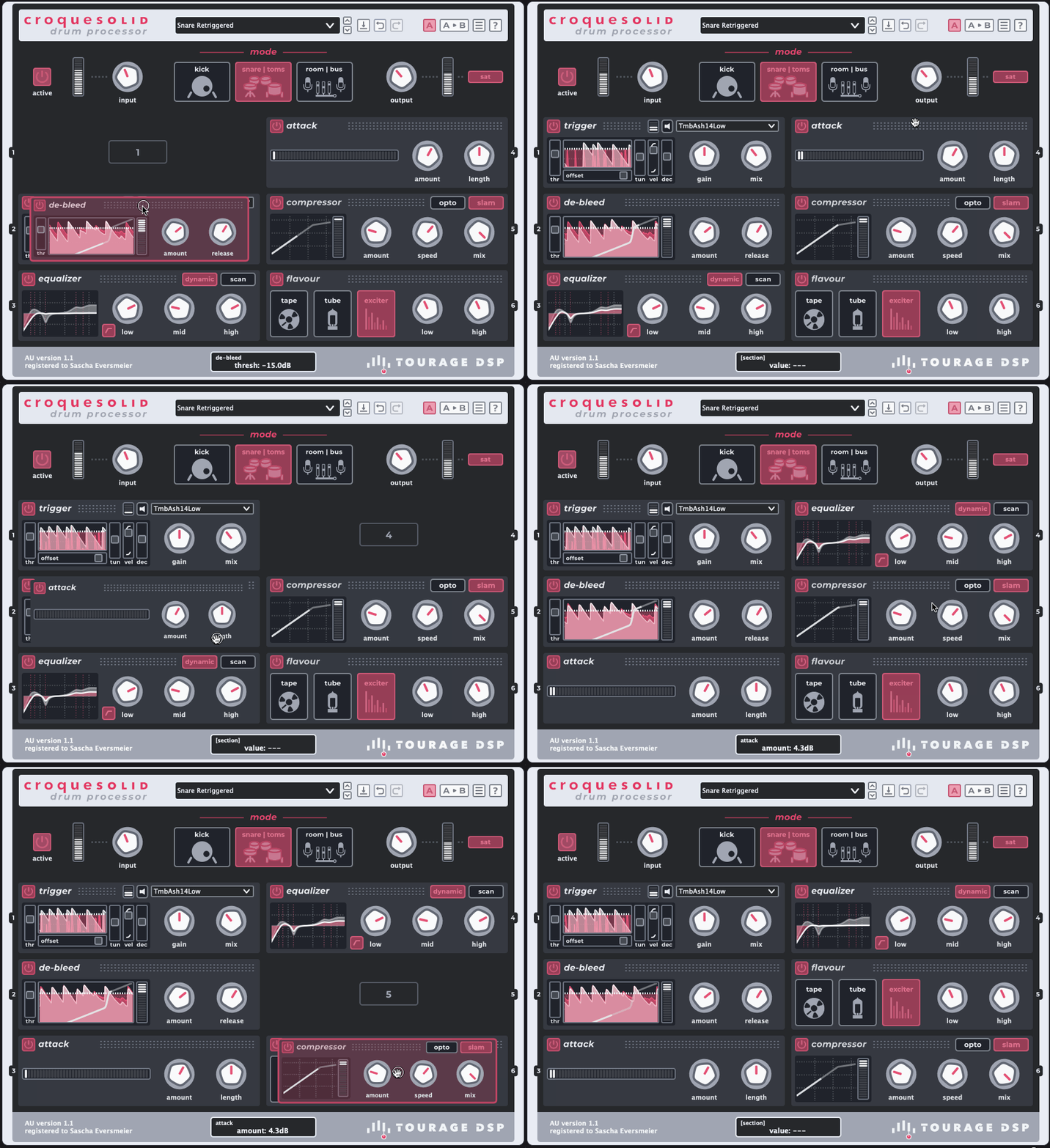
croquesolid section reordering made easy

  • Signal flow:
    Customizing the processing order is super-easy. Simply grab a section and drop it over another to swap positions.


De-bleed section croquesolid de-bleed section
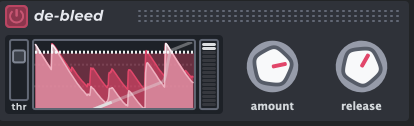
croquesolid de-bleed section

  • de-bleed: Say goodbye to cymbal spillover in your snare and tom channels.
    Preserve clarity, tightness, and punch with intelligent bleed reduction that avoids the choppy artifacts of traditional gates or expanders.
    Hands-down one of the simplest, most effective gating solutions you'll ever use.
    Blast-beat compliant. Hell yes!
Audio examples
Snare + Hi-Hat bleed
Snare + 18" Crash bleed


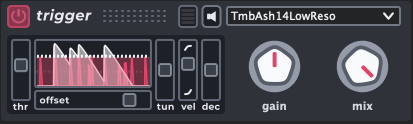
Trigger section croquesolid sample-trigger section

croquesolid sample-trigger section

  • trigger: Available in kick & snare/toms mode.

    Effortlessly blend or replace your drums with built-in multi-layered samples for extra weight or texture using croquesolid’s intuitive drum trigger tool.
    We do supply a small and nice library of multi-layered stereo drum samples captured from our inhouse studio drum kit. But feel free to add your own samples, either multi-layer or oneshots.

    For added flexibility, trigger events can control external synths or samplers in your session. Supported in the VST3 version where host routing allows.
Audio examples (using the add-on 'Default Sample Pack')
Crash-riding beat, snare replaced completely mid-way (TmbAsh14LowReso)
Tom 14", triggering multi-layer sample (TmbAsh14Coated), replaced mid-way


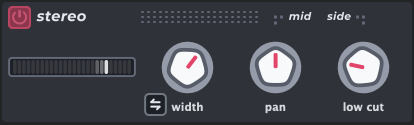
Stereo section croquesolid stereo section

croquesolid stereo section

  • stereo width: Available in room/bus mode.
    • Achieve correct correlation and spatial integrity of stereo-miked room, ambience or overhead sources.
    • Widen or shrink the stereo image.
    • Correct the center position of the kick or snare.
    • Clean up low-end rumble from the stereo sides.
    • Flip between drummer's or audience perspective.


Attack section croquesolid attack / transient shaper section
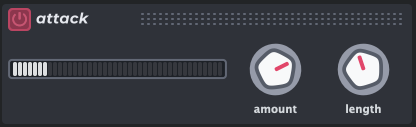
croquesolid attack /transient shaper section

  • attack: The transient shaping section enables adding punch and control to your drum hits very simple and effective.
    Also makes it very easy to dampen a too spiky drum or push it further back in the mix.


Equalizer section croquesolid dynamic eq section
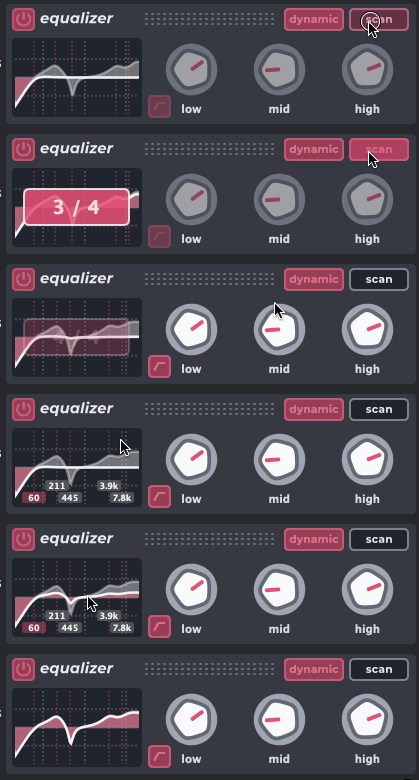
croquesolid dynamic eq section

  • equalizer:

    Tired of hunting for the correct frequencies? croquesolid’s dynamic equalizer does the heavy lifting.

    Just one click scans a few drum hits, automatically pinpointing the three most dominant frequencies - no sweeping, no guesswork.

    • Tame annoying resonances.
    • Boost the perfect kick thump and click.
    • Enhance snare impact.
    • Add sparkling air to overheads.

    Simply turn a knob to cut or boost. Selectable dynamic processing keeps everything natural and musical, reacting to the energy of each hit.


Compressor section croquesolid opto / slam compressor section
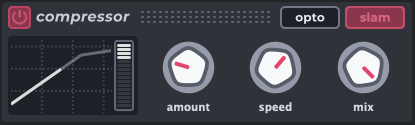
croquesolid opto / slam compressor section

  • compressor:

    Modeled after legendary studio gear, croquesolid’s compressor adapts to any style with minimal tweaking.

    • opto: Smooth, punchy, and musical. Perfect for subtle dynamic control that keeps drums natural and full of life.
    • slam: Aggressive, fast, and in-your-face. Adds tightness and energy, ideal for hard-hitting grooves.

    Select a mode, twist knobs to taste, and get immediate mix-ready results!


Flavour section croquesolid flavour (tape/tube/exciter) section
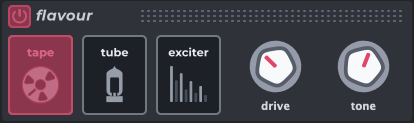
croquesolid flavour (tape/tube/exciter) section

  • flavour:

    Add character and warmth with classic analogue-inspired tones.

    • tape: Smooth, gluey saturation with subtle top-end warmth and a touch of bottom-end weight - just like tracking to tape.
    • tube: Class-A preamp grit with rich, even-order harmonics. Push it hard for extra bite and growl without harshness.
    • exciter: Dual-band saturation for punchy lows and airy highs. Add that addictive clarity and shimmer - use with care!

    Built-in oversampling keeps the harmonic richness intact while avoiding digital artifacts.


All downloads, release notes, activation facts & requirements
Downloads
Release notes
Fixes, improvements & additions in v1.1
  • New / improved:
    • UI rework, now 2 selectable skins:
      • 'Graphite Red', vibrant & bold, high contrast
      • v1.0 skin renamed 'Muted Blue', slightly adjusted, aimed at low-contrast work or nightly studio sessions
    • A/B comparison changed to a single button, alternating between A & B state
    • Menu/preferences button now features a unified per-instance and global-settings window:
      • New per-instance/preset:
        • Selectable 24dB slope on EQ high pass filter
      • Global preferences:
        • GUI skin selection
        • Default startup preset
    • Equalizer:
      • Improved ‘scan’ process, more robust over wider dynamic range, better handling of low-level input
      • Scanned band frequencies are now shown when mouse pointer is inside display region
      • Improved visual smoothness in dynamic-eq mode
    • Metering:
      • Improved responsiveness, especially with medium-to-high host buffer sizes
      • ‘Stereo’ module: correlation meter now features inertia (K.I.T.T-style glow) for better readability
      • Waveform display:
        • Smoother, less jaggy waveform view
    • Fixed:
      • Refactored GUI loading scheme, improved stability upon plugin start (some hosts had problems)
      • Equalizer: fixed wrong 1..4 count behaviour (actually needed 5 counts to indicate scan completion in the UI)
      • Tube (flavour): fixed loud pop/thump startup sound when enabling the tube circuit
      • Installer: only copying ‘config.json’ to application folder if non-existent
      • On preset change: fixed threading issues (stalls, occasional crashes), improved robustness when skipping presets that might still load a sample set while another is selected or plugin unloaded mid-way
    • Changes:
      • config.json moved from plugin (system) folder to user (documents) folder, as it requires write permission for saving user settings
  • Known limitations/issues:
    • No AAX yet (yes, it’s on the list)
    • sample content is all 44kHz, realtime resampling option for other project rates coming in a future update
    • Preset & sample lists do not expand on sub folders (also on the list for later)
Activation
  • The plugin runs in fully-functional trial mode for 14 days, unless activated via license purchase.
  • Activation can be online (easiest) or offline (via Device Token ('machine') file).
  • A license allows for up to 3 activations on different computers.
  • Online Activations (which applies to most use cases) can be revoked by the user, to make room for an installation on another computer. Online Activations are briefly checked at startup (just the license, no telemetry or shady data collection, we don't do that). The plugin is always operational for 14 days in case that check didn't happen, thus mostly ok for holiday trips, touring or location recording.
  • If a computer is generally used offline (like for critical studio client or live work), Offline Activation is also possible (via Device Token File & License Response File). In that case the license is permanently stored in the (encrypted) response file, and no online check will take place. Please mind that an Offline Activation is not user-revokable. In case you switch computers and run out of free activation slots, contact us and we can sort it with you.
  • Trial and product activation requires a user account in our system. The plugin will open a browser window on first launch, and you will be guided through the process. Quick & easy, we think.

System requirements
  • macOS
    • Minimum macOS Version: 10.13.6 (High Sierra) or newer (Intel x64 or Apple Silicon)
  • Windows
    • OS: Windows 8.1 (64-bit) or newer (Windows 10, 11 recommended)
    • CPU: Intel x64 (no 32-bit)